
Sd Card of Camera: Ultimate Guide to Boost Speed & Storage
When you take photos or record videos, choosing the best SD card for cameras is essential. This small but powerful device stores all your precious memories, affects how fast your camera works, and ensures your files are safe. Knowing which SD card to pick can make a huge difference in performance, storage, and reliability. Keep reading to discover how to select the perfect SD card for your camera and protect your photos.
If you want to get the best from your camera and never worry about losing your shots, keep reading. You’ll discover everything you need to know about SD cards and how to pick the perfect one for your needs.
Choosing The Right Sd Card
Choosing the right SD card for your camera is important. It affects how fast your photos save and how many you can store. A good card helps your camera work well and keeps your photos safe. Understanding the types, speed, and capacity helps you pick the best SD card.
Types of SD Cards
Choosing the right SD card for your camera is important. It affects how fast your photos save and how many you can store. A good card helps your camera work well and keeps your photos safe. Understanding the types of SD cards and their speed and capacity helps you pick the best SD card.
Speed Classes Explained
The speed class shows how fast the card can write data. Classes include Class 2, 4, 6, and 10. Higher numbers mean faster speeds. There are also UHS speed classes like U1 and U3. Faster speeds are better for video and burst photos.
Capacity Options
Capacity means how much data the card holds. Small cards fill up fast. Large cards store many photos and videos. Think about how many pictures you take and the file size. Choose a card with enough space for your needs.
How Sd Card Speed Affects Camera Performance
SD card speed plays a key role in camera performance. It affects how fast the camera saves and reads data. This speed can impact photo quality, video recording, and overall user experience. Understanding the difference between read and write speeds helps choose the right SD card for your camera needs.
Read Vs Write Speeds
Read speed is how fast data moves from the SD card to the device. Write speed is how fast the camera saves data to the card. Cameras need high write speeds to capture photos and videos smoothly. Slow write speeds may cause delays or missed shots. High read speeds help in quick playback and file transfer.
Impact On Photo Quality
Photo quality depends on how fast the camera saves images. Large files, like RAW photos, require faster write speeds. Slow cards may cause the camera to pause between shots. This pause can miss important moments. Fast SD cards allow continuous shooting without lag.
Video Recording Considerations
Video recording needs constant data writing to the SD card. Low write speeds can cause dropped frames or recording stops. High-speed cards support high-definition and 4K video smoothly. Always check your camera’s recommended SD card speed for best results.
Tips To Boost Sd Card Speed
Speed matters for your camera’s SD card. Faster cards help save photos and videos quickly. They improve camera performance and reduce wait times. Follow these tips to boost your SD card speed and get better results.
Using Uhs-i And Uhs-ii Cards
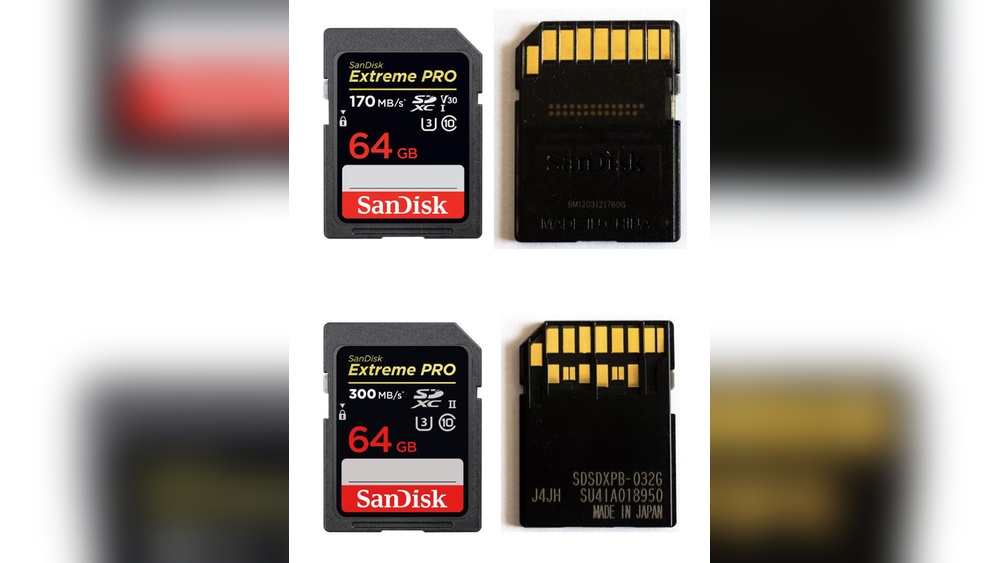
Choose SD cards with UHS-I or UHS-II ratings for faster data transfer. UHS-II cards have extra pins for quicker speed. They work best with cameras that support UHS-II. Using the right card helps your camera write files without delays.
Formatting For Optimal Performance
Format your SD card inside the camera before use. This clears old data and sets the card properly. Formatting helps the card organize files efficiently. Avoid formatting on a computer, as it may cause speed issues.
Avoiding Fragmentation
Keep your SD card clean by deleting unwanted files regularly. Fragmentation slows down file writing and reading. Use your camera to delete photos instead of a computer. This keeps the card working smoothly and fast.
Credit: www.kingston.com
Maximizing Storage On Your Sd Card
Maximizing storage on your camera’s SD card helps you shoot more photos and videos. It reduces the chance of running out of space during important moments. Organizing and managing your files improves your workflow and saves time. Smart storage habits keep your card healthy and extend its life.
Cloud Backup Solutions: Upload your files to Google Drive or Dropbox for extra security.
Managing Files Efficiently
Delete unwanted photos and videos regularly. Move files to your computer or external drive after each shoot. Create folders by date or event to find files quickly. Avoid saving duplicate files on the card. Use your camera’s format option to clear the card properly.
Using Multiple Cards
Carry more than one SD card for longer shoots. Swap cards when one gets full to keep shooting. Label cards to track which ones have important files. Use cards with different storage sizes for flexible use. Keep empty cards in a safe case for easy access.
Cloud Backup Solutions
Upload your files to cloud storage for extra security. Cloud backup frees up space on your SD card fast. Access your photos and videos from any device easily. Choose a cloud service that fits your storage needs. Regular backups prevent data loss from card damage.
Maintaining And Protecting Your Sd Card
Maintaining and protecting your camera’s SD card is key to keeping your photos safe. A well-cared-for card lasts longer and works better. Small steps can stop data loss and damage. Follow simple habits to protect your valuable memories stored on the SD card.
Safe Handling Practices
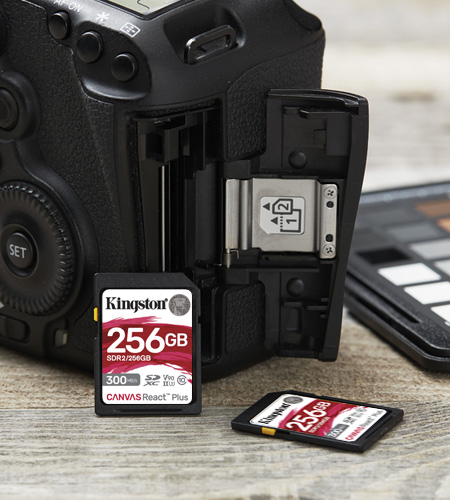
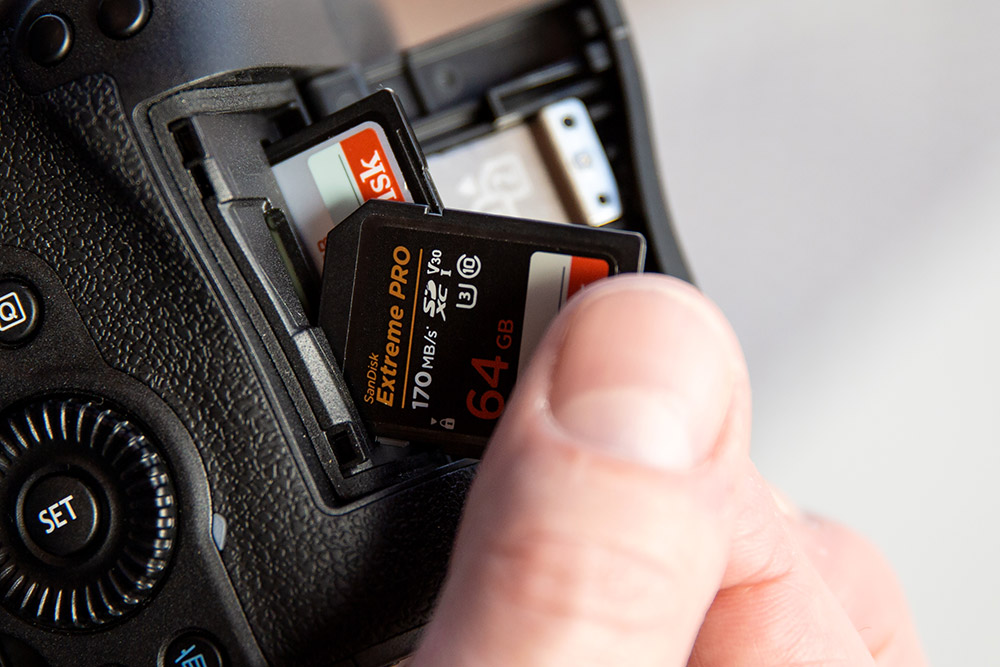
Always hold the SD card by its edges. Avoid touching the metal contacts. Keep the card away from water and dust. Store it in a protective case when not in use. Remove the card gently from your camera. Never force it into the slot. Keep the card away from magnets and extreme temperatures.f
Regular Error Checking
Check the SD card for errors regularly. Use your camera or a computer for scanning. This helps find and fix small problems early. Format the card in your camera, not on a computer. Back up your photos before formatting. Error checking keeps the card running smoothly and avoids surprises.
Avoiding Data Corruption
Turn off the camera before removing the card. Do not remove the card during photo saving. Use a reliable card reader for transfers. Avoid filling the card to full capacity. Leave some free space for proper function. Backup photos often to another device or cloud. These steps reduce the risk of data corruption.
Credit: www.iegeek.com
Troubleshooting Common Sd Card Issues
SD cards are essential for storing photos and videos in cameras. Sometimes, these cards show problems that stop your camera from saving or reading files. Knowing how to fix common SD card issues saves time and protects your data.
Card Not Recognized
Your camera may not detect the SD card due to dirt or a poor connection. Remove the card and clean the metal contacts gently with a soft cloth. Reinsert the card firmly into the camera slot. Check if the camera supports the card’s size and format. Formatting the card in the camera can also help, but back up data first.
Slow Performance Fixes
Slow write or read speeds can cause delays in shooting or viewing photos. Use a card with a higher speed class for better performance. Avoid filling the card to full capacity; leave some free space. Regularly format the card in the camera to keep it working fast. Close other apps or functions that might slow the camera down.
Recovering Lost Data
Data loss happens due to accidental deletion or card errors. Stop using the card immediately to avoid overwriting files. Use trusted data recovery software to scan and restore lost photos and videos. Save recovered files on a different device, not back to the same card. Regular backups prevent permanent loss.
Credit: www.parkcameras.com
Frequently Asked Questions
What Type Of Sd Card Is Best For Cameras?
The best SD card for cameras depends on speed and capacity. Look for UHS-I or UHS-II cards with high write speeds. This ensures smooth video recording and fast photo saving. Choose a capacity that fits your shooting needs, usually 32GB or higher.
How To Check If Sd Card Is Compatible With Camera?
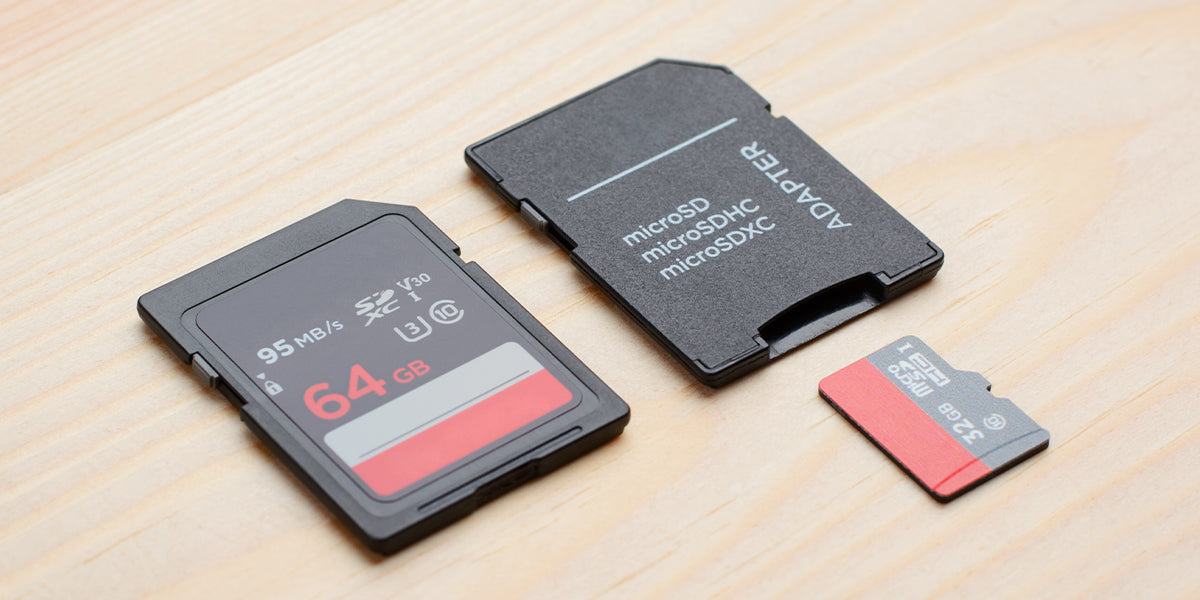
Check your camera’s manual or manufacturer website for supported SD card types. Most cameras support SD, SDHC, or SDXC cards. Also, verify the maximum capacity and speed class compatible with your camera to avoid errors.
Can An Sd Card Affect Camera Performance?
Yes, an SD card impacts camera speed and reliability. A slow card can cause delays in saving files and limit burst shooting. Using a high-speed, reliable SD card improves overall camera performance and reduces the risk of data loss.best SD card for cameras
How To Properly Format An Sd Card In A Camera?
Always format your SD card inside the camera for best results. This ensures the file system matches the camera’s requirements. Formatting erases all data, so back up files before proceeding. Regular formatting helps maintain card performance and reliability.
Conclusion
Choosing the right SD card improves your camera’s performance a lot. It stores your photos and videos safely and quickly. Always check the speed and capacity before buying. Using a good SD card helps avoid errors and lost files. Keep your memories safe with the right card.
Simple steps lead to better photos. Remember, a small card makes a big difference.best SD card for cameras


